An example planning poker session, ticket by ticket
Last updated: .
This page follows one made-up team through a Pointwalk session, from the lobby to the summary. Priya facilitates, and five developers estimate five tickets from their Jira sprint with the Fibonacci deck (1, 2, 3, 5, 8, 13, 21 and ?). The names, tickets and votes are invented. The screenshots are Pointwalk itself, playing exactly these votes.
The team and the setup
Priya, the Scrum Master, hosts. She opens Host a free session, names it "Sprint 24 refinement", connects Jira Cloud and loads the five unestimated issues in the ATLAS board's active sprint. She picks the Fibonacci deck and Estimation Island, turns the round timer off, and shares the six-letter code in the team chat. Her tab is the facilitator view: she runs the session but doesn't vote.
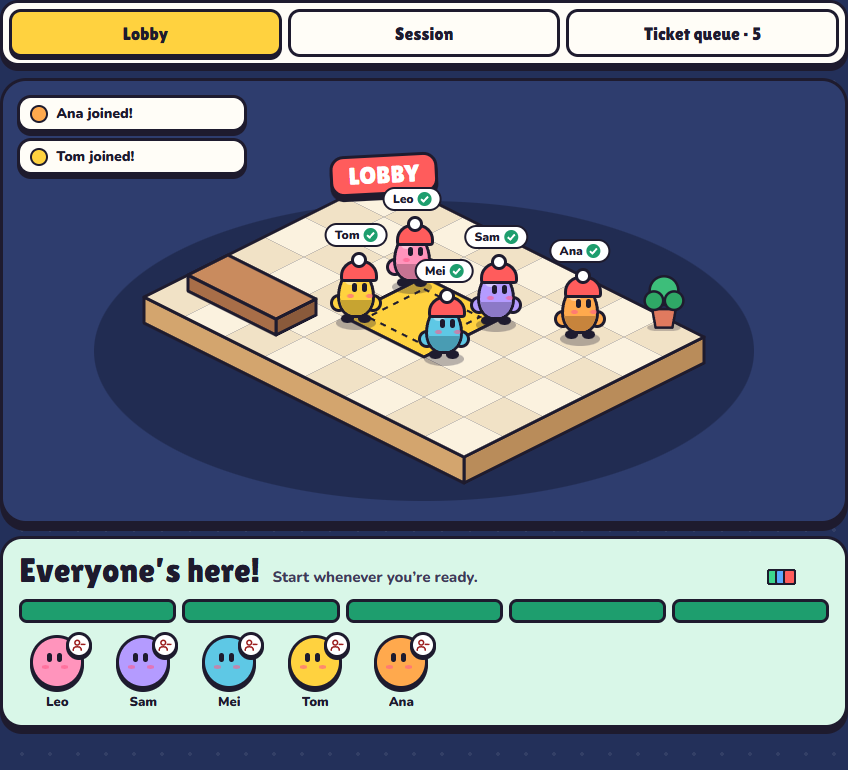
Leo, Sam, Mei, Tom and Ana open the link, type a name, build a character and land in the lobby. Nobody signs up. When all five are in, Priya starts the game.
Every ticket, every vote
Votes are listed in the order Leo, Sam, Mei, Tom, Ana. For ATLAS-102 the table shows the second round, the one that settled it.
| Ticket | Votes | Estimate | Rounds | Agreement |
|---|---|---|---|---|
| ATLAS-101 · Add a password reset email | 3 · 3 · 3 · 5 · 3 | 3 | 1 | 4 of 5 |
| ATLAS-102 · Export invoices to CSV | 8 · 8 · 5 · 8 · 8 | 8 | 2 | 4 of 5 |
| ATLAS-103 · Show order status on the dashboard | 5 · 5 · 3 · 5 · 8 | 5 | 1 | 3 of 5 |
| ATLAS-104 · Upgrade the payment SDK to v4 | ? · 5 · ? · 8 · 13 | Carried over | 1 | — |
| ATLAS-105 · Fix the time zone in booking confirmations | 1 · 2 · 1 · 1 · 1 | 1 | 1 | 4 of 5 |
ATLAS-101: agreed in one round
Each player walks their character to a number. Nobody can see where anyone else is standing, so the first number said out loud can't anchor the rest. Sam's screen below shows only his own pick; everyone else is still "choosing".
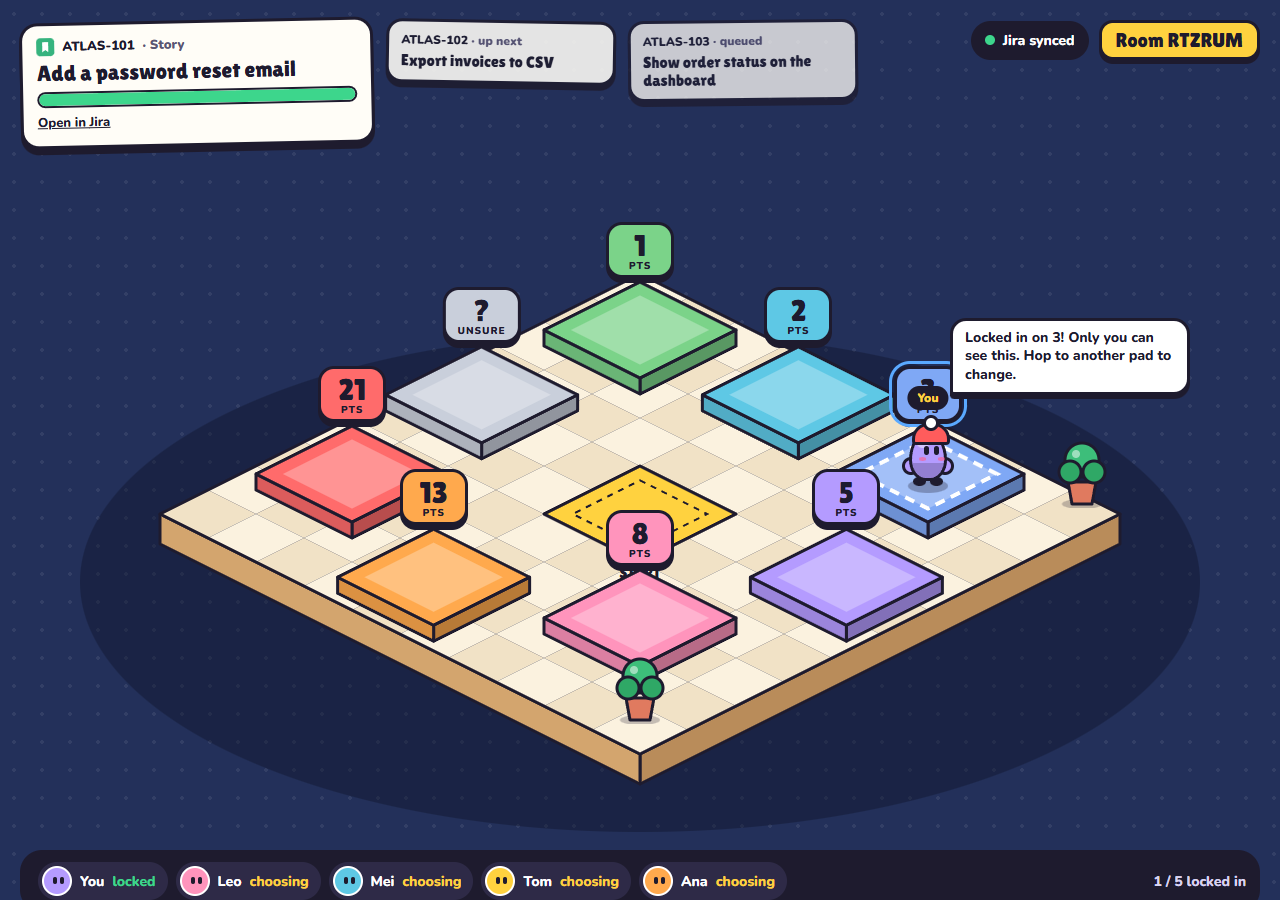
When the last vote is in, all five walks replay at once: four people on 3, Tom on 5. Tom says he'd assumed the email needed a new template, Mei says one already exists, and Tom is happy with 3. Priya locks in 3 and Pointwalk writes it to the issue's story point field in Jira straight away.
ATLAS-102: a wide spread and a re-vote
The first reveal is all over the board: Sam on 2, Mei and Tom on 3, Leo on 5, Ana on 13. Pointwalk suggests 3, the most common vote, and prompts Priya to ask the outliers first.
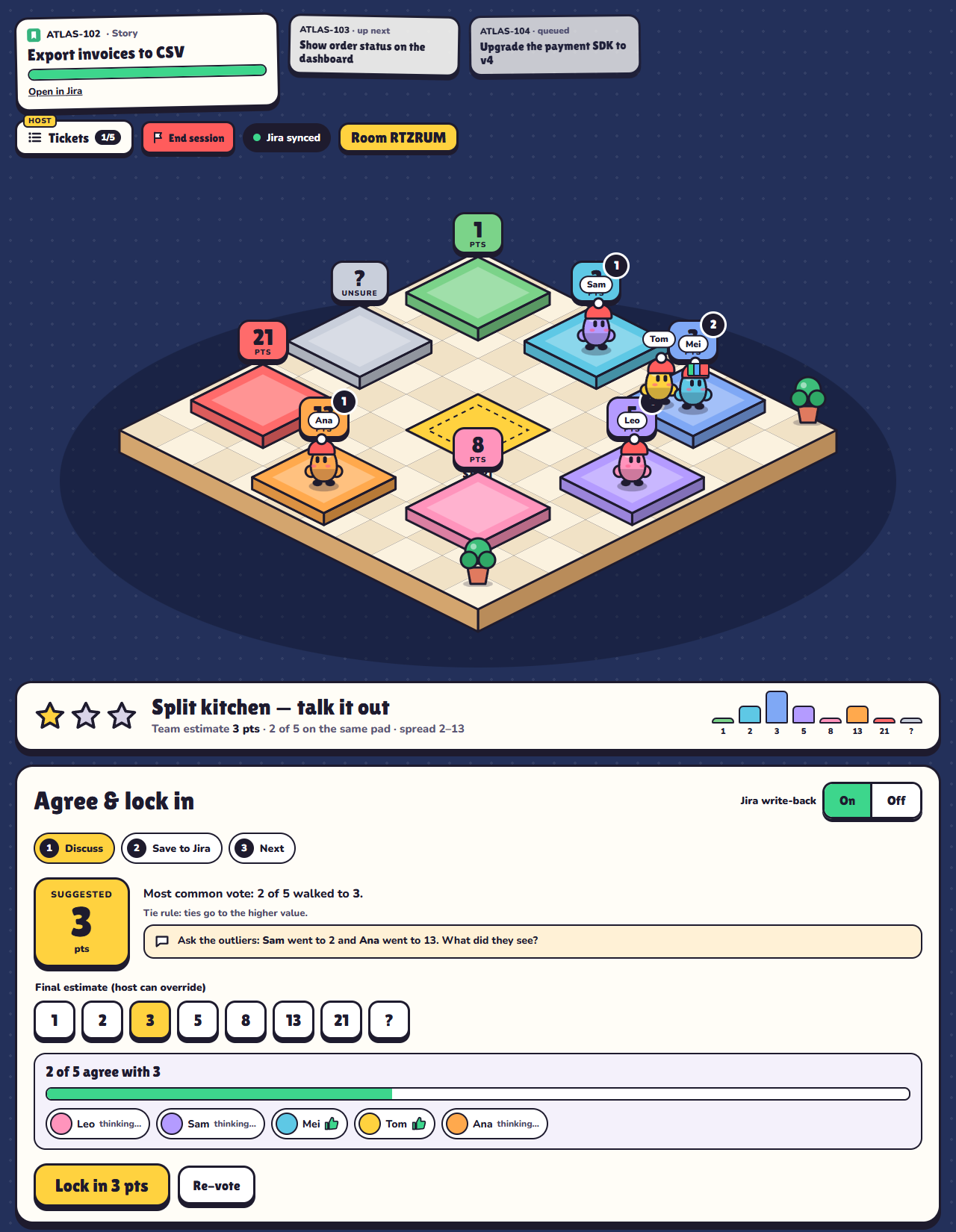
Sam thought it was one button and a query. Ana has worked on invoices and knows the table holds years of history, so a big export needs to run in the background and email a link. That changes everyone's mind. Priya starts a re-vote and it lands on 8, with Mei on 5. Priya locks in 8.
This is what planning poker is for. Without private votes, Sam's 2 might have been the first number said, and the team could have agreed a quarter of the real size.
ATLAS-103: close enough
Leo, Sam and Tom say 5, Mei says 3 and Ana says 8. A quick chat finds no hidden work on either side, so Priya locks in 5 without a re-vote. The summary gives this ticket two stars instead of three, which is a useful flag if it later runs long.
ATLAS-104: nobody knows yet
Leo and Mei pick ?, and the other three spread from 5 to 13. Nobody knows whether version 4 of the payment SDK changes how webhooks work. Rather than guess, the team agrees to raise a short spike. Priya switches to the next ticket and keeps the five votes as a draft, so nothing is written to Jira for ATLAS-104.
ATLAS-105: the easy one
Four 1s and a 2. Agreed in under a minute.
What the host gets at the end
Priya ends the session and everyone sees the summary:
- 4 of 5 tickets estimated, 17 story points in total, and 1 re-vote (ATLAS-102).
- All 4 estimates saved to Jira, each with its agreement stars and the spread of votes.
- ATLAS-104 carried over with its draft votes. One click copies it into a new session for after the spike.
- A few light-hearted awards: Leo is the Hive Mind (he matched the agreed estimate on all four tickets), Mei is the Bold Explorer (the furthest outlier most often) and Sam is Speedy.
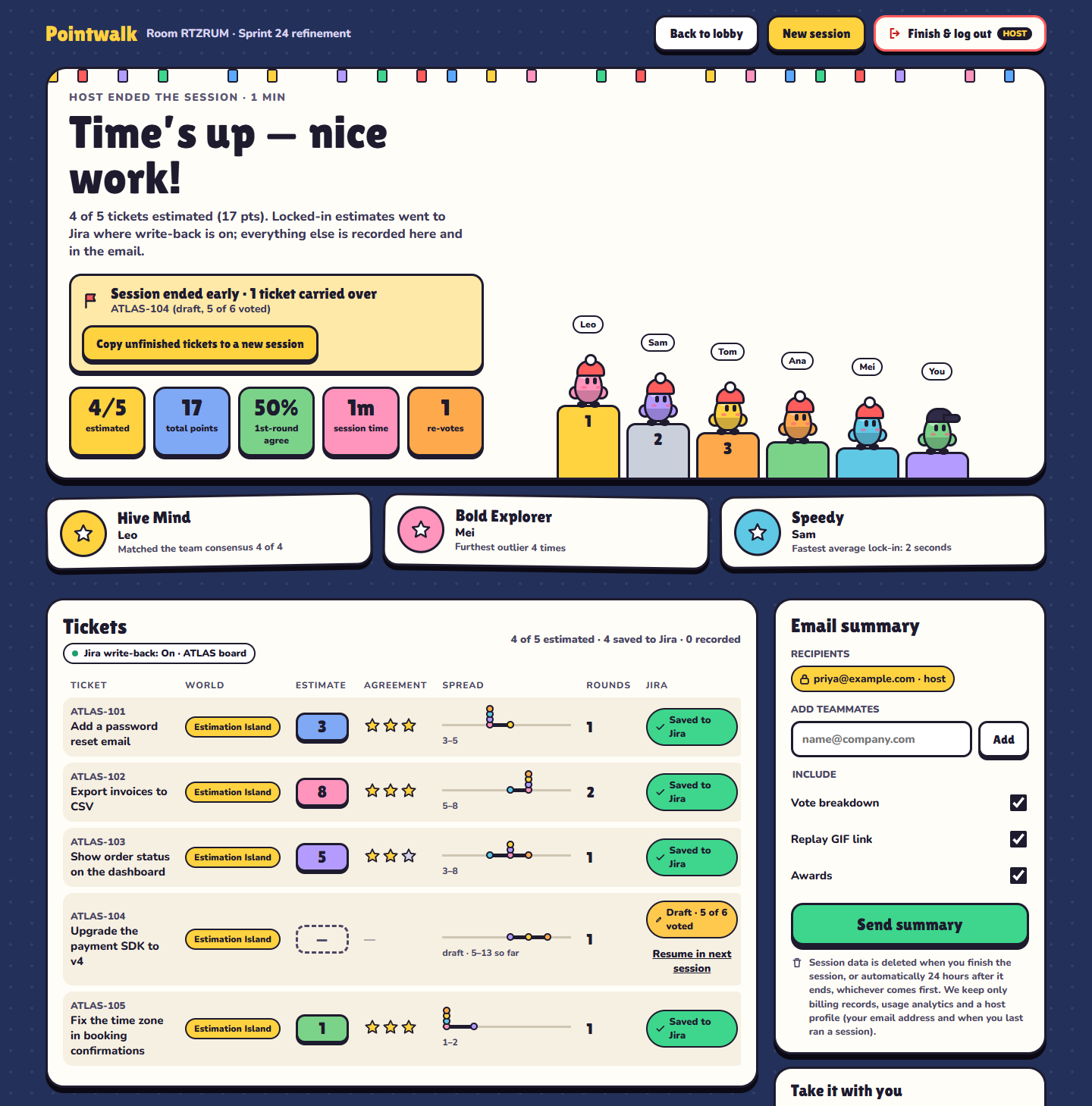
Priya also gets a summary email with every ticket, its estimate, the vote spread and whether it reached Jira, and she can add teammates as recipients. From the summary screen she can download a CSV or copy the results as Markdown for the sprint notes. When she finishes the session, its data is deleted. Otherwise it's deleted 24 hours after the session ends. The email is the team's record.
Run one with your team
A session like this needs a browser for each person and, if you want write-back, a Jira Cloud site. The Jira guide covers connecting it, and what planning poker is explains the method if your team is new to it. No Jira? Type the ticket numbers and titles in by hand and the summary keeps the results.
Questions
Is this a real session?
The team, the tickets and the votes are made up. The screenshots are Pointwalk itself, with these exact votes played in it.
What happens to a ticket nobody can estimate?
The host can switch to another ticket and keep the votes as a draft, or discard them. The ticket is carried over in the summary, nothing is written to Jira for it, and the host can copy it into a new session.
Does the facilitator have to vote?
No. The host's own tab is a facilitator view with no vote. A host who wants to vote joins as a player from a second tab or device.